 MindForger
Docs
MindForger
Docs
User Documentation
FAQs
Frequently asked questions:
- How can I open notebook title section? todo
- How can I quickly edit viewed note? todo macos
- How can I stop Note HTML preview "bouncing" while editing its text?
- How can I open Markdown file in MindForger?
- How can I delete tag?
- Why is not line starting with # turned into section when editing a note?
- How can I change font size/color/... in HTML preview?
- How can I manually add Markdown files to MindForger repository?
How can I open notebook title section?
Image: FAQS.title-section-edit.png
Simply click notebook name above the note tree outline.
How can I quickly edit viewed note?
Double click HTML preview to open note editor or use Alt+n e (menu Note/Edit).
How can I stop Note HTML preview "bouncing" while editing its text?
This is unfortunately know issue - you can get rid of it by disabling math expressions preview:
- go to menu
Knowledge,Preferences - click
Viewertab - disable (uncheck)
math support
How can I open Markdown file in MindForger?
How can I delete tag?
Why is not line starting with # turned into section when editing a note?
TL:DR use menu Note/New to create a new section - "manual" section within section is intentionally quoted.
MindForger uses Markdown as a format for storing data, but it aims to do more. Therefore it splits Markdown file to sections and represents each section as Note:
- MindForger shows Notes outline - tree of Notes on the left in Notebook view
- You can manipulate with sections (up/down/promote/demote/clone/refactor/...) from menu
Note - It offers associated sections (Notes) to the section being read/written
- ...
See also 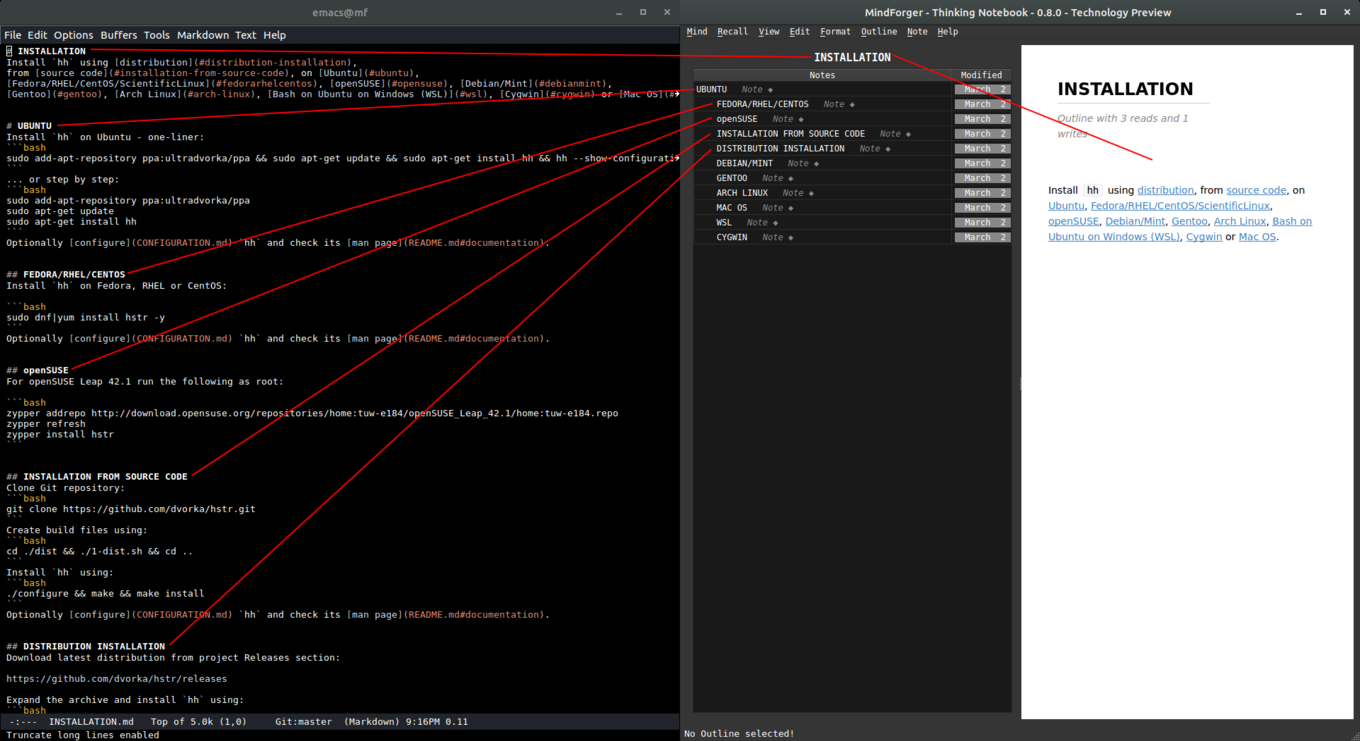
How can I change font size/color/... in HTML preview?
How can I manually add Markdown files to MindForger repository?
On this page